Show pacing for live events through cues, timing, and transitions
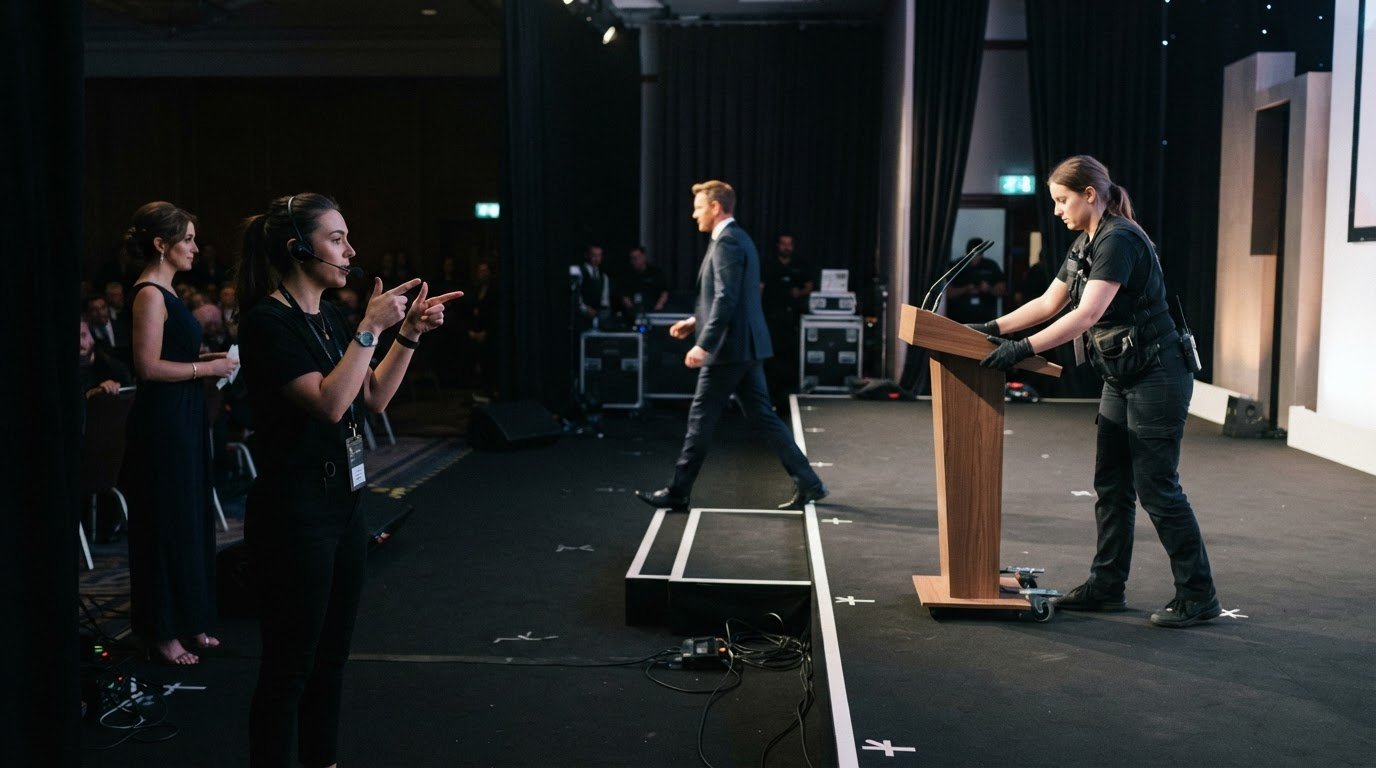
A live event loses momentum when timing and transitions are left to chance. Show pacing for live events starts with a clear run of show: a shared plan for segments, timings, cues and responsibilities. It gives the production team a structure to follow while leaving room to respond to the audience.
Strong pacing isn’t simply about keeping every segment short. It balances energy, clarity and breathing space, guiding the audience from one moment to the next without making the event feel mechanical. A well-placed pause adds emphasis; a rushed changeover interrupts the flow.
This article explains how producers shape a run of show, coordinate audio, video and lighting cues, and use rehearsals to refine timing. It also explores how clear responsibilities and communication help the team manage transitions and maintain audience momentum throughout a live event.
Key Takeaways
• Give every cue a clear point in the schedule and an assigned operator so the team knows when and how to execute it.
• Use rehearsals and technical run-throughs to expose timing issues before the audience arrives.
• Allow transitions enough time for changeovers and safe crew movement, rather than treating them as gaps between segments.
• Keep one shared, current run of show with timings, responsibilities, technical needs and contingency plans.
• Shape the sequence to build energy towards a peak, with contrast and quieter moments to sustain audience attention.
Audio, video, and lighting cues
Audio, video and lighting cues shape how an audience experiences each moment. A cue can introduce a performer, direct attention to a screen or change the stage’s atmosphere. When these elements land together, the transition feels deliberate. When one arrives early or late, the audience notices. In show pacing for live events, cue timing supports the story as much as the schedule.
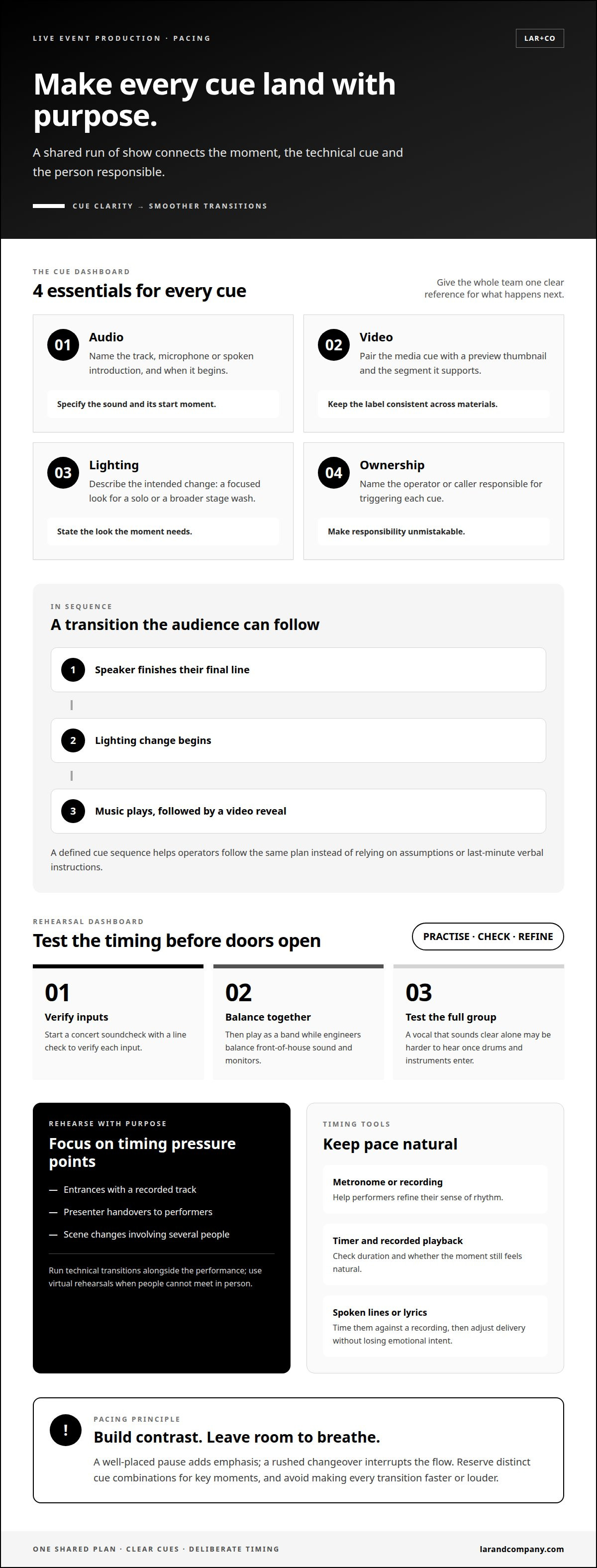
Build each cue around a visible or audible action. For example, a lighting change might begin as a speaker finishes their final line, followed by music and a video reveal. The run of show should identify the moment, the cue and the person responsible. This shared reference helps operators follow the same sequence instead of relying on assumptions or last-minute verbal instructions.
Give the audiovisual team clear information for each segment. Talent names or photographs help operators identify who is approaching the stage. Preview thumbnails show which media file belongs to a cue. These details reduce uncertainty when speakers, performers or visuals appear in succession. For a panel, label each panellist and pair the correct introduction slide with their entrance.
Audio
Identify the track, microphone or spoken introduction, and the moment it should begin.
Video
Pair the media cue with a preview thumbnail and the segment it supports.
Lighting
Describe the intended change, such as a focused look for a solo or a broader stage wash.
Ownership
Name the operator or caller responsible for triggering each cue.
Music can carry a transition, too. A track designed around a costume change can hold attention while a performer moves offstage and returns in a new look. The change becomes part of the dramatic sequence, rather than an unexplained pause. The cue plan should state when the track starts and what action it supports, giving the changeover a defined place in the performance.
Sequence cues to create contrast and emphasis. A gradual lighting shift can prepare the audience for a quieter passage; a sharper audio or visual change can signal a new section. Avoid making every transition faster or louder. If every moment competes for attention, the major reveal has less impact. Reserve a distinct cue combination for key moments, such as a final image paired with a music stop.
Keep cue references consistent across the run of show and media materials. If a video is labelled for the opening, its thumbnail and cue description should identify that same segment. Clear names, assigned responsibilities and an intentional sequence help the team deliver cues cleanly while maintaining audience focus.
Rehearsals and technical run-throughs
A rehearsal tests whether the planned sequence works in performance, not just on paper. It reveals where a presenter needs more time, where an arrangement loses momentum and whether technical changes can happen smoothly. A speech may fit its allotted slot when read silently, then overrun once applause and a screen transition are included. Rehearsal makes those pressures visible before the audience arrives.
Technical preparation begins before performers take the stage. A production crew call should allow time for venue checks, console setup and patching, microphone placement, stage organisation and lighting preparation. This gives the team a working environment for the run-through. If a microphone position obstructs a performer’s movement or a lighting state takes longer to establish than expected, the sequence can be adjusted before doors open.
A live concert soundcheck follows a useful order. First, the team performs a line check to verify each input. Then the band plays while engineers balance front-of-house sound and monitors. Testing the full group matters: a vocal may sound clear alone but become difficult to hear once drums and instruments enter. Playing together also gives musicians and engineers a practical test of the intended dynamics.
Rehearse the moments most likely to disrupt timing, rather than repeating every segment without purpose. These might include an entrance with a recorded track, a presenter handing over to a performer or a scene change involving several people. The director can edit repetitive or overly long arrangements to create a stronger build. If a musical passage repeats, changing an element can keep its return engaging.
Use a metronome or recording
to help performers refine their sense of rhythm.
Time spoken lines or lyrics
against a recording, then adjust delivery without losing their emotional intent.
Run technical transitions
alongside performance, including virtual rehearsals when people cannot meet in person.
Timing should serve the performance, not flatten it. A line delivered too quickly may lose its meaning; a slow passage can weaken audience attention. Rehearsal lets a performer test pace and emphasis, then make deliberate adjustments. A timer shows duration, while a recording helps assess whether the moment still feels natural.
Technical Production brings these tests together with the show’s creative and operational demands. A focused run-through can expose a mismatch between an arrangement and its transition, or show that a cue needs more preparation time. The team can revise the sequence, rehearse the change and carry the resolved version into the live event.
Segment timing and transitions
Each segment needs a defined duration and a clear handover into the next. The run of show links these timings, transitions and audience moments in one continuous sequence.
Pacing Across Event Types
Pacing varies by format: concerts build through musical contrast, conferences balance presentations and discussion, award shows alternate speeches with reveals, and theatre follows the rhythm of dramatic scenes. The same tempo cannot serve every audience or moment.
To maintain engagement, producers vary intensity and allow audience responses to register. A concert can leave space after a climactic song; a conference can shift from a dense presentation to a moderated conversation. At an awards ceremony, a pause before a winner’s name can build anticipation, while theatre may use silence to deepen a scene.
Planning the Run of Show
A run of show sets out each segment’s timing, cue, responsible person and transition. Complex productions can specify timings down to the minute or second, helping the team see how each part affects the schedule.
Allow practical transition time for equipment setup, breakdown and safe crew movement. A panel changeover, for example, needs time to reposition chairs and microphones before the next speakers enter. The plan should also leave room for meaningful pauses, rather than treating every minute as spoken content. That structure protects the event’s flow and essential moments.
Adjusting When Events Run Late
When a live event runs late, producers compare the current schedule with the remaining segments and protect essential moments. They can shorten flexible introductions or discussion, but should avoid rushing a key performance or emotional passage.
Changes need to reach everyone affected. If a conference panel overruns, the producer can revise the next handover and brief the moderator and technical team. Preserve transition time: removing it entirely can cause rushed movement and further disruption. A well-managed adjustment restores the schedule without making the audience feel hurried.
Avoiding Common Pacing Mistakes
Common mistakes include allowing too little setup time for transitions, scheduling consecutive segments at the same intensity and letting speeches crowd out planned moments. Producers can avoid these problems by timing handovers, varying the programme’s energy and assigning a responsible person to each cue.
Rushed lines can weaken emotional impact, while slow pacing can disengage an audience. Build contrast into the sequence, then watch how people respond. A well-placed silence can add emphasis before a reveal; if applause continues, let the moment land before moving on. This balance keeps the event responsive without losing its structure.
Collaborative run-of-show tools
A shared run of show gives operators, engineers and project managers one working plan. Build it early, then update it as timings, technical needs and responsibilities develop.
A flexible spreadsheet can organise the plan into rows for segments or cues. Columns can record timings, responsible roles, technical requirements and production notes. A speaker entrance, for example, might have its own row with the introduction, microphone handover and screen change recorded together. This makes dependencies visible: if the speaker’s arrival changes, the team can identify which cues and timings need review.
Collaboration matters because each department sees different risks. An engineer may spot that a changeover needs more preparation; a project manager may identify a conflict with a presenter’s slot. Operators can clarify who calls a cue and who executes it. Bring these perspectives into updates instead of circulating a finished document after decisions have been made. The plan is more useful when the people delivering it can resolve details together.
Cloud-based run-of-show tools can make updates available in real time to team members across locations. If a segment moves, remote colleagues can view the revised schedule without relying on an outdated attachment. Make the latest version obvious, and record meaningful changes, such as a revised start time or new technical requirement, so each department understands what has changed.
Colour-coding gives the team another way to scan the document quickly. Assign distinct colours to segments or departments, then use them consistently throughout the schedule. An audio operator can identify audio-related notes at a glance, while a stage manager can follow stage movements. Pair colour with clear labels: colour alone may not explain a cue’s purpose or owner.
A show advance aligns the schedule, technical needs, staffing responsibilities and event details before show day. Confirm these points in writing by sharing the stage plot, input list, call times and schedule with the relevant teams. The stage plot shows where performers and equipment belong; the input list records audio requirements. Keep both documents aligned so the venue team doesn’t receive conflicting instructions.
Keep communication direct when details change. If a call time shifts, notify the people whose arrival or preparation depends on it. If an input changes, circulate the revision to the relevant technical team. A useful update states what changed, which part of the plan it affects and which version replaces the earlier one. This prevents parallel schedules from developing across departments.
Connectivity can fail at a venue, so teams should keep a synchronised printed backup. It gives crew members a usable reference if they can’t access the shared file. A current collaborative document, written confirmations and a matching backup help the team coordinate decisions without losing sight of the running order.
How do event producers plan a show's run of show and timing?
Producers plan the run of show by shaping a sequence, assigning timings and responsibilities, then testing how each segment affects the next. The aim is a gradual build towards the strongest emotional moment, with smaller peaks and quieter passages sustaining audience attention.
Start with the event’s fixed points: doors, opening acts, set changes, the headliner set, encore expectations, curfew and load-out. These establish the programme’s boundaries. Then place each segment within them, allowing time for introductions, audience response and transitions. A concert schedule needs to account for changeovers between acts, not just the playing time of each set.
Shape the sequence for contrast. An opener should capture attention, whether it moves quickly or begins more slowly with intensity. A mid-tempo song can follow a high-energy opening to create contrast. A slower song can release tension and let the audience settle. Build towards the show’s highest emotional peak, using smaller rises and falls to make the climax feel earned.
Give the closing moment its own deliberate build. A closer should reach the show’s highest energy and drive towards a strong finish. It may have the fastest tempo, but intensity and the quality of the ending matter more than speed alone. Producers can also vary musical styles, instrumental and vocal textures, and tempi across the running order. That variation prevents the programme from feeling like a sequence of equally weighted segments.
Set precise time slots for presenters and talent so they can pace themselves. A run of show can specify timings down to the minute or second for complex productions. Name the person responsible for each cue so the team has clear ownership. Build contingency plans for possible scenarios, such as a delayed entrance or a segment that needs shortening.
Record the sequence
Include each segment, its timing and the transition that follows.
Assign responsibility
Name who calls or executes each cue.
Protect the build
Preserve key emotional moments when adjusting flexible sections.
Plan team coverage
Stagger crew breaks so rest doesn’t interrupt the show’s flow.
Treat the schedule as a working plan, not a rigid script. If applause extends after a major moment, the producer can adjust a flexible transition while protecting the next essential cue. Clear timings, named responsibilities and contingency options let the team respond without losing the event’s intended shape.
Lar&Co: Show Production
Lar&Co produces live events where creative intent, technical execution and timing must work as one. Its team shapes the show’s structure, coordinates production requirements and manages the details that carry each segment from cue to cue. Technical Production, Site Management and Creative Direction support the wider delivery where the project calls for them.
Turn to Lar&Co when a complex programme needs disciplined production oversight, from shaping the running order to aligning teams around delivery. The team creates a considered framework for maintaining audience momentum while managing the demands behind the scenes.
Contact Lar&Co to discuss your live event.
Shape the audience’s next experience
Before the next planning conversation, decide what the audience should feel at the event’s defining moments. Is the aim anticipation before a reveal, intimacy during a performance or a strong collective finish? A clear emotional intention gives creative and production decisions a shared purpose. It also helps distinguish essential moments from elements that can change as the programme develops.
Use that intention as a practical test for the choices ahead. Does each proposed segment earn its place? Does the atmosphere shift with purpose? Will the final moments leave the audience with the impression the event was designed to create? These questions make show pacing for live events a deliberate creative decision, not simply a sequence of timings.
With that direction in place, the next step is to align the brief, creative ambition and production plan. Contact Lar&Co to plan your event and bring those priorities into the production conversation. A clear intention can give the whole team a compelling direction to deliver.
Frequently Asked Questions
What Is a Run of Show?
A run of show is the working sequence that guides an event from opening to finish. Unlike a guest-facing agenda, it can include operational details that help the crew manage what the audience doesn’t see. It can show how a delayed speaker affects the next entrance, for example, or which segment can move without disrupting a later performance. It gives the team a shared view of the event’s order and dependencies.
What Should Be Included?
Include enough detail for each person to understand what happens next and how their role connects to it. Useful fields include the segment name, planned start and finish, cue owner, required action and any decision that could change the sequence. For a hybrid session, note whether a question comes from the room or a remote participant. This helps the host direct attention and gives the team context beyond a list of titles.
What does show pacing mean for live events?
Show pacing for live events means shaping the rhythm of segments so the experience feels purposeful, not like a series of unrelated items. It considers how attention shifts between listening, watching, responding and waiting. A conference, for example, can place a short audience interaction after a demanding presentation, giving participants a different way to engage. The aim is a coherent progression, with the format and emotional intent guiding the tempo.
What is the ideal pacing for a live event or conference?
There’s no single ideal pace for every event: it depends on the format, content and intended audience experience. A conference with detailed presentations may need changes in format to refresh attention, while a performance may use contrast to strengthen its dramatic arc. Decide which moments need focus, which benefit from audience participation and where the event should build. Assess the sequence as a whole, rather than judging each segment in isolation.
How long should segments, speeches, and breaks last at a live event?
Set duration according to the amount of material, level of audience participation and time needed for a clear outcome. A complex demonstration may need more room than a brief announcement, while a discussion with audience questions needs space for responses. Treat breaks as part of the experience, not leftover time. Their placement should support the event’s rhythm and give people a useful pause before the next demanding segment.
How can hosts and stage managers keep a live show on schedule?
Hosts and stage managers keep time through clear signals and agreed decisions, not by rushing every speaker. A host can receive a discreet prompt as a segment approaches its end, then use a prepared closing line to move towards the handover. The stage manager tracks progress and alerts the relevant team if the next action needs to change. Agreeing these signals in advance avoids confusing interruptions or public conversations about timing.
What tools are used to track timing during live events?
Teams can use a shared run-of-show document for the master sequence, alongside a visible clock or timer for live segment checks. A stage manager may use a headset to pass concise timing updates to the host or cue caller. Performers can rehearse with a timer or recording to understand their material’s duration. The tool matters less than giving each role access to the same current timing information and a clear way to act on it.